



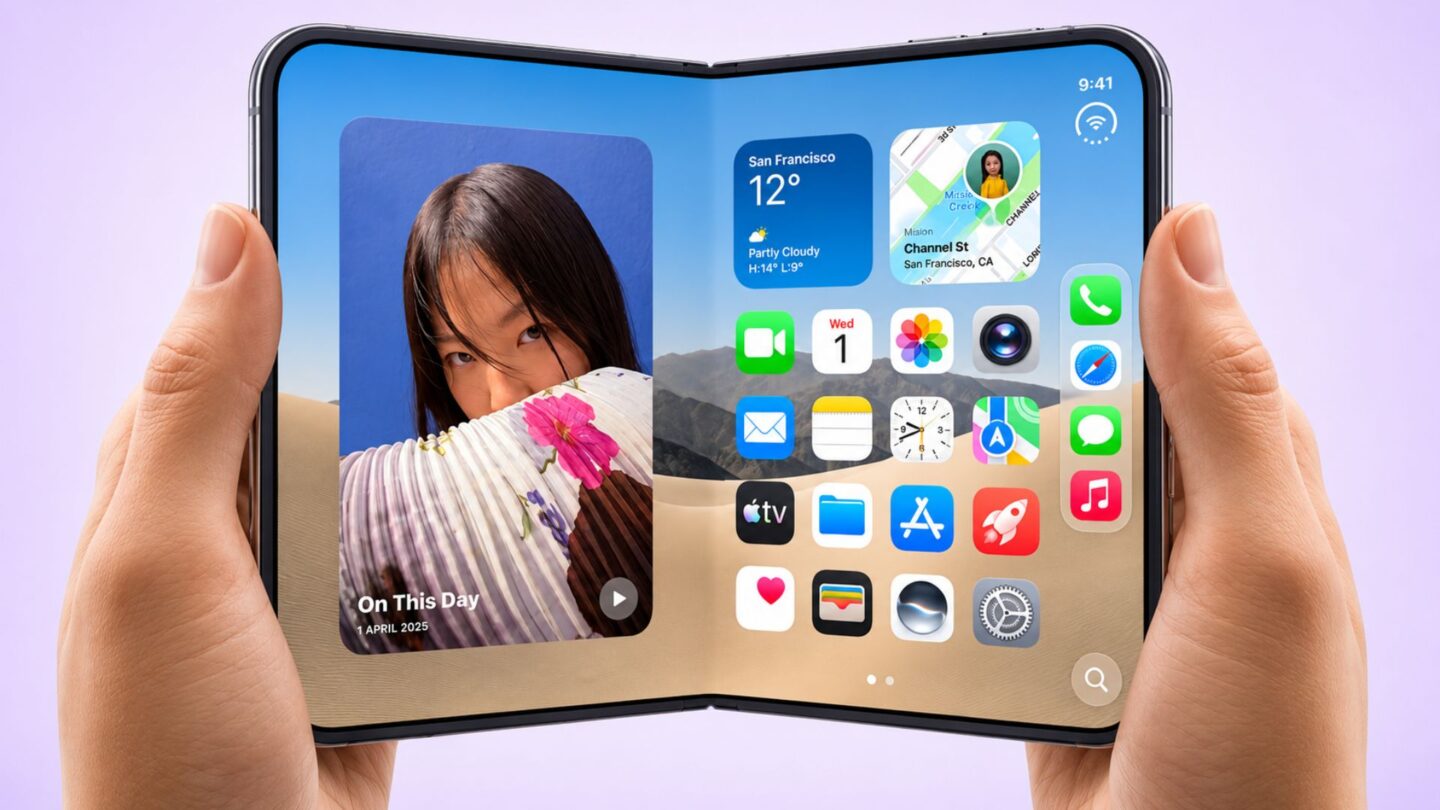
Apple has introduced a new accessibility feature for its iPhone Duo in the latest iOS 27.3 beta, making the foldable device easier to operate with one hand. The update brings an updated version of the company’s existing Reachability feature, adapted for the phone’s exterior display.
The latest beta release was part of a wider round of software updates Apple distributed this week. Alongside iOS 27.3, the company released new beta versions of its other operating systems, introducing several changes and improvements across its product range.
Notable additions to iOS 27.3 include a redesigned Health app and new Siri artificial intelligence (AI) actions designed to work with various applications. However, the updated Reachability feature is particularly relevant to iPhone Duo owners who may find it difficult to reach certain areas of the screen while holding the device in one hand.
The feature is designed to improve everyday usability without requiring users to change their usual navigation habits. Rather than introducing an entirely new control system, Apple has adapted an established accessibility option to suit the design of its first foldable iPhone.
iOS 27.3 introduces a new Reachability gesture
According to details reported by MacRumors, the updated Reachability feature lets iPhone Duo users bring screen content closer to their thumb by swiping outward from either edge of the exterior display. Once activated, the interface shifts towards the side of the screen where the user’s thumb can reach it more comfortably.
This adjustment could make several common tasks easier, especially when users hold the device with one hand. For example, someone holding the iPhone Duo in their right hand may struggle to reach navigation controls positioned on the left side of the display. With the new gesture, the screen content can move towards the right, bringing those controls within easier reach.
The same functionality is available when holding the device with the left hand. By swiping outwards from the opposite edge, users can reposition the interface to suit their preferred grip. This gives the feature flexibility for people who regularly switch between their left and right hands when using their phones.
The adjustment is intended to reduce the need to stretch fingers across the display or reposition the device to access specific controls. This can be particularly useful when browsing websites, navigating applications or interacting with buttons positioned near the opposite edge of the screen.
Unlike a conventional display adjustment that changes the size of interface elements, Reachability temporarily repositions the content already displayed. This lets users access areas that might otherwise be hard to reach without changing the application’s overall layout.
The feature is included in the iOS 27.3 beta. However, its availability in the beta does not necessarily confirm that the final public release will retain every aspect of the current implementation.
How to enable Reachability on the iPhone Duo
iPhone Duo owners running the latest iOS 27.3 beta can enable the feature in the device’s Settings app. Apple has placed the option within its existing accessibility controls, making it easy to find.
Users need to open Settings and go to Accessibility, then Touch. From there, they can find Reachability and turn it on. Once enabled, users can use the new edge-swiping gesture on the exterior display to reposition the interface.
Keeping the feature in the Accessibility menu also groups it with other tools designed to make the iPhone easier to operate. Users who don’t need the feature can leave it disabled and continue using the standard interface.
The addition is particularly relevant to foldable devices because their different display configurations can introduce new challenges for everyday interaction. Although larger screens provide more room to view content, they can also make it harder to reach certain controls when using a phone with one hand.
Apple’s implementation offers a practical way to address this issue without requiring users to rely on additional accessories or complicated gestures. It also demonstrates how the company is adapting familiar software features to accommodate the physical characteristics of newer devices.
The iPhone Duo’s exterior display measures 5.4 inches and uses OLED technology. While this is smaller than the main display expected from a foldable device, accessing controls positioned towards the far side of the screen can still be inconvenient depending on how the phone is held.
With the updated Reachability function, Apple aims to make the exterior display more comfortable to use when operating the phone with both hands isn’t convenient.
Apple’s existing accessibility feature gets a foldable-focused update
Reachability is not a new addition to Apple’s mobile software. The company originally introduced the feature with the iPhone 6 in 2014, when larger smartphone displays were becoming increasingly common.
At the time, the feature addressed a growing usability problem. As iPhone screens grew, users found it harder to reach the upper portions of their displays while holding their devices with one hand. Reachability offered a simple solution by temporarily moving the screen content downwards.
On conventional iPhone models, activating the feature generally shifts the interface towards the bottom of the display. This makes controls and other elements positioned near the top easier to access without requiring users to adjust their grip.
The iPhone Duo takes a different approach because of its exterior display and foldable design. Instead of moving content downwards, the updated version shifts it horizontally, allowing users to bring interface elements closer to either thumb.
This change reflects the different ways people interact with foldable smartphones compared with traditional handsets. A feature that works well on a standard iPhone may require adjustments when applied to a device with a different screen arrangement and physical design.
The introduction also highlights Apple’s continued efforts to refine accessibility features as its hardware range evolves. Rather than limiting accessibility improvements to users with specific physical requirements, these tools can also make everyday smartphone interactions more convenient for a wider audience.
For iPhone Duo owners, the updated Reachability option could help when checking messages, browsing the internet, or doing other routine tasks on the exterior screen. Its simple activation process also means users can enable it without making major changes to their device settings.
As iOS 27.3 continues through beta testing, Apple may introduce further adjustments before the software becomes publicly available. The new Reachability gesture is a small addition, but it addresses a practical usability concern when using a foldable phone one-handed.