


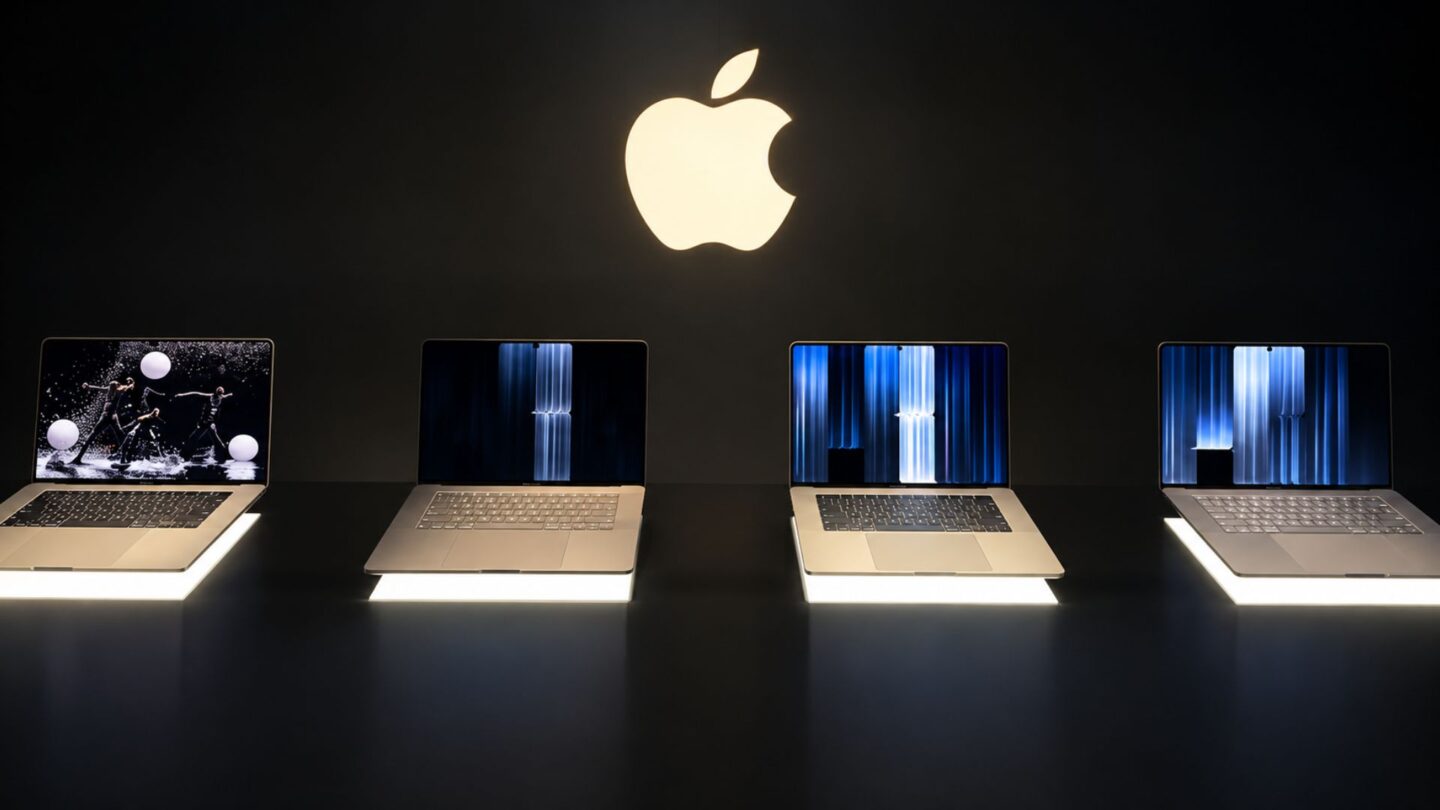
Apple has introduced its first touchscreen MacBook Pro, combining a significantly improved display with a lighter design while retaining many of the features that have defined its professional laptop range. Unveiled at the company’s “Pro and Tell” event in Los Angeles, the new MacBook Pro with PROLED XDR Display marks a major change for the MacBook line without abandoning its familiar design and functionality.
The new models retain the established 14-inch and 16-inch screen sizes but introduce OLED display technology, touch-based controls, and reduced weight. The changes aim to improve the overall user experience while preserving the keyboard, trackpad and port selection that have made recent MacBook Pro models popular among professionals.
Early hands-on experience suggests Apple has taken a measured approach to introducing touchscreen functionality to macOS. Rather than completely redesigning the operating system around touch, the company has added new ways to interact with existing applications and controls.
A lighter design retains familiar MacBook Pro features
Despite the substantial hardware changes, the new MacBook Pro remains recognisable as a member of Apple’s professional laptop family. The 14-inch model weighs approximately three pounds, while the 16-inch version weighs around four pounds. This reduction makes both models easier to carry without requiring major compromises to their established design.
The company has also retained the existing port selection, letting users keep connecting compatible accessories and peripherals without relying entirely on adapters. The keyboard and trackpad appear largely unchanged from the 2021 redesign, preserving the familiar typing and navigation experience users have come to expect from the range.
The weight reduction is particularly noticeable in everyday handling. Even a difference of approximately half a pound can make a laptop more comfortable to carry between meetings, workspaces and travel destinations. For professionals who regularly transport their computers, this change could prove just as valuable as the new display technology.
However, the lighter construction also raises questions about cooling and sustained performance. Apple introduced lighter MacBook Pro models in 2016, when it adopted Intel processors and introduced the controversial Touch Bar. Those machines became associated with thermal management problems and difficulties maintaining performance under demanding workloads.
The new generation will need to demonstrate that it can avoid similar limitations. Although its updated hardware and processors may improve performance, a brief hands-on session can’t show how well the laptops manage heat during extended video editing, software development, or other resource-intensive tasks. More comprehensive testing is needed to determine whether performance remains consistent under sustained workloads.
OLED display brings touchscreen controls to macOS
The new MacBook Pro’s most significant feature is its OLED display. Apple previously introduced tandem OLED technology in the iPad Pro in 2024, producing a screen noted for its image quality. The new MacBook Pro takes that visual experience further, delivering deep blacks, strong contrast and detailed images.
During the initial demonstration, photographs and videos highlighted the display’s ability to reproduce dark areas with impressive depth while maintaining detail across different parts of an image. OLED technology lets individual pixels produce their own light, so they can switch off when displaying black. This creates contrast that conventional backlit displays struggle to match.
The improved screen could benefit photographers, video editors, designers and other creative professionals who depend on accurate visual presentation. Even users who rarely touch their laptop displays may notice the difference when viewing photographs, watching videos, or working with content that spans a wide range of light and dark tones.
Touchscreen interaction is another major addition. Users can swipe through photographs, zoom in and out with two fingers, pan through images, and interact directly with supported creative applications. In Pixelmator, for example, users can draw on the touchscreen, while Apple’s Photos app lets them adjust editing sliders with touch.
Despite these new capabilities, the macOS interface has not undergone a complete transformation. Most of the operating system still looks and behaves as it does on conventional MacBook Pro models. Some controls, including the window-management buttons in the upper-left corner, expand slightly when touched, making them easier to select. However, Apple has generally avoided substantially enlarging interface elements or redesigning applications specifically for finger input.
This approach lets users switch between touch, keyboard, and trackpad controls without learning an entirely different interface. Gestures familiar to MacBook users, including three-finger swipes between full-screen applications, also work on the touchscreen. Users can also move application windows to different sides of the display to arrange their workspace, a feature similar to the window-management options available on the iPad.
Initial touch performance appears responsive overall, although occasional stuttering was observed when switching between virtual desktops or full-screen applications. It remains unclear whether these interruptions reflect software optimisation, the demonstration environment, or the learning curve of using touch gestures in macOS. Further testing is needed to determine how consistently the feature performs in everyday use.
Pricing reflects Apple’s premium hardware strategy
The new MacBook Pro represents a significant hardware update, but its overall design philosophy remains familiar. Apple has introduced touchscreen functionality and a more advanced display while preserving established features rather than replacing them with an entirely new computing experience.
That decision distinguishes the latest models from the 2016 redesign, which removed or changed several familiar features while introducing the Touch Bar. The new approach instead focuses on improvements that can benefit users without requiring them to abandon established workflows. Retaining the ports, keyboard, and trackpad should make the transition more straightforward for existing MacBook Pro owners.
Pricing remains an important consideration. Apple’s premium laptops have traditionally commanded high prices, and market pressures affecting memory and storage components further complicate the cost of the latest models. The new machines carry a US$400 premium over comparable versions without the OLED display, placing them firmly in the higher end of the laptop market.
Whether that extra cost is worth it depends on individual needs. Users who prioritise display quality, lighter hardware and direct touchscreen interaction may find the improvements worthwhile. Those who primarily use a MacBook Pro for writing, browsing, or less visually demanding tasks may have fewer reasons to upgrade, especially if their existing laptop already meets their needs.
The touchscreen also raises questions about how Apple will develop macOS in future generations. Its current implementation offers additional flexibility without making touch interaction essential. The feature’s long-term value will depend partly on whether developers introduce more applications and workflows that take advantage of direct screen interaction.
The return of the illuminated Apple logo on the laptop lid provides a nostalgic finishing touch. Although it does not affect performance or productivity, the glowing emblem recalls an earlier period in the Mac’s history and adds a familiar design element to a substantially updated machine.
Overall, Apple’s first touchscreen MacBook Pro seems more like an evolution of the existing product than a complete reinvention. The combination of OLED technology, reduced weight and touch controls makes it a notable update, while its familiar design helps preserve the qualities that professional users value. Independent testing will ultimately determine whether the new models can deliver the expected performance, efficiency and reliability alongside their improved display.