


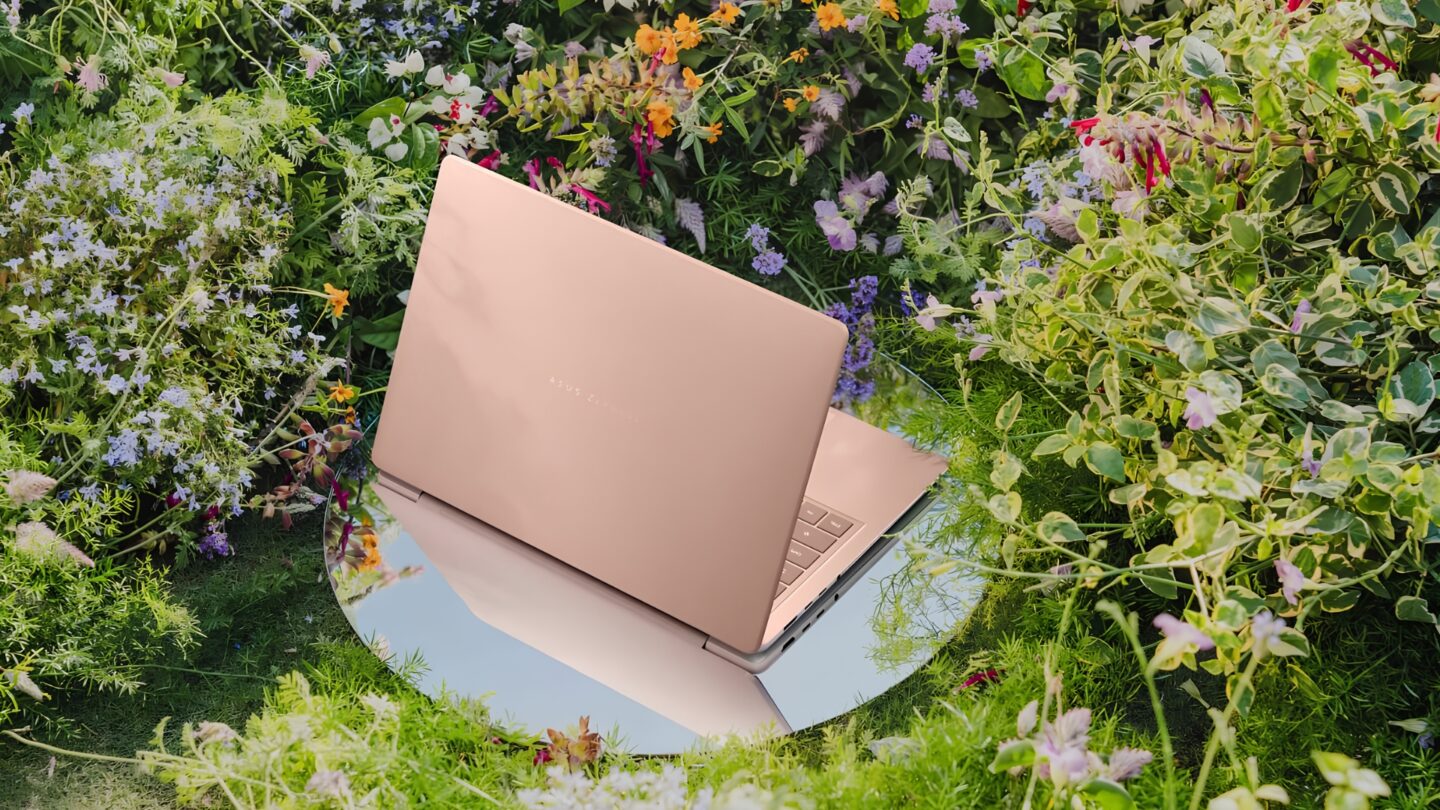
The ASUS Zenbook 14 (UX3480) combines a compact chassis, distinctive materials and an OLED display in a laptop designed for users who regularly work across different locations. Its understated appearance reflects a practical approach to ultraportable computing, where ease of use and versatility take priority over elaborate design elements.
The ASUS Zenbook 14 combines a distinctive Ceraluminum design, vibrant OLED display and responsive AMD Ryzen AI 7 performance in a compact laptop built for everyday productivity. Its 24GB of memory supports smooth multitasking across applications, while Geekbench results demonstrate capable processing performance and 3DMark stress testing confirms 98.6% graphics stability under sustained workloads. Practical USB4 connectivity, a versatile port selection and a 70Wh battery further strengthen its appeal for professionals working across different locations. With its emphasis on productivity, portability and consistent performance, the Zenbook 14 offers a well-rounded computing experience.
Pros
- Responsive AMD Ryzen AI 7 performance with 24GB RAM for smooth multitasking
- Distinctive Ceraluminum finish with a refined design
- Vibrant 14-inch OLED display with rich colours and deep contrast
Cons
- 300-nit display brightness is better suited to indoor environments
- Integrated Radeon 840M graphics have limited headroom for demanding gaming and 3D rendering
Table of contents
Beneath its slim exterior, the AMD Ryzen AI platform adds the processing capabilities needed for modern productivity workloads. The combination of thoughtful hardware design and everyday functionality gives the Zenbook 14 a clear direction, with the overall experience shaped by how comfortably these elements work together.
Ceraluminum gives a practical design its character
The Zenbook 14 comes in Komodo Coral and Arctic Blue, with a tone-on-tone treatment that carries each colour across the lid and chassis. Rather than using prominent accents, ASUS relies on the texture of its Ceraluminum lid to stand out. The material combines ceramic-like hardness with metal malleability and is designed to resist scratches, smudges and everyday wear, while the remaining metal construction keeps the appearance consistent.
The finish makes sense on a laptop that’s regularly handled, packed, and unpacked, while an easy-lift hinge allows one-finger opening. The look remains restrained enough for an office, particularly in the warmer Komodo Coral finish.
The 14-inch OLED panel pairs a 1920 × 1200 resolution with a 16:10 aspect ratio, leaving more vertical room for articles, spreadsheets and browser pages than a comparable 16:9 screen. When reviewing a lengthy report or editing copy in a document window, that extra height reduces how often the page needs to move. OLED’s independently lit pixels also produce deep blacks, giving films and photographs stronger contrast, while the specified 100% DCI-P3 gamut offers a broad range of colour for media and visual work. With an 89% screen-to-body ratio, the relatively narrow borders also help the panel fit within the compact frame.
The OLED display’s 300-nit brightness and 60Hz refresh rate suit everyday indoor productivity, supporting document editing, web browsing, and video calls. The Zenbook 14 range also offers touch and non-touch configurations, with stylus support available on touchscreen models.
The port selection is also practical for a compact machine, with a USB 4.0 Type-C connection handling charging, display output and data transfers of up to 40Gbps, joined by a second USB 3.2 Gen 2 Type-C port rated at up to 10Gbps. A USB 3.2 Gen 1 Type-A connection, HDMI 2.1 TMDS and a 3.5mm audio jack accommodate common peripherals without immediately requiring a dock. An external monitor, wired mouse and portable drive can all be part of a straightforward desk setup. The faster USB4 connection is especially useful for transferring large photo or video files to compatible external storage, although photographers will still need a reader for memory cards.
The backlit keyboard provides 1.7mm of key travel and a Copilot key, with a precision touchpad for navigation. An FHD infrared camera supports Windows Hello facial sign-in, while integrated microphones and speakers with Smart Amp technology cover meetings and media. Together, these features let the machine handle common work and communication tasks without extra accessories.
Ryzen AI delivers responsive everyday performance
The review unit (UX3480KA) pairs a six-core, 12-thread AMD Ryzen AI 7 345 processor, reaching up to 4.6GHz, with Radeon 840M integrated graphics, 24GB of onboard LPDDR5X memory and a 1TB PCIe 4.0 NVMe SSD. The chip also includes an AMD XDNA NPU rated at up to 50 TOPS for supported AI processing. This configuration gives the CPU and memory a more substantial role than the GPU in deciding what the laptop does well.
During editorial work, multiple Chrome tabs, PDF documents and Microsoft Word ran alongside Outlook and Teams without noticeable slowdowns. Moving between research sources, drafting articles and responding to messages remained responsive with several applications open. That is the kind of workload where a capable CPU and 24GB of memory pay off, especially when information must stay accessible across several windows rather than being opened and closed in sequence.
Geekbench 6.7.1 recorded 2,524 in the single-core test and 9,987 in multi-core performance. The first figure reflects the processor’s ability to handle short, lightly threaded tasks such as navigating a document or launching an application; the second indicates greater capacity when work is distributed across cores. The results support its responsive behaviour in daily use and provide a quantitative basis for the multitasking observed. Geekbench 6.7.1 also recorded GPU compute scores of 14,383 in OpenCL and 16,026 in Vulkan, reflecting the Radeon 840M’s capabilities in graphics-related processing tasks such as image manipulation and supported creative applications.
In 3DMark Time Spy, the Zenbook 14 recorded an overall score of 1,904, comprising 1,685 for graphics and 7,237 for the CPU. Steel Nomad Light returned scores of 1,086 at 8.05 FPS and 1,310 at 9.71 FPS across two runs, highlighting the Radeon 840M’s focus on everyday graphics workloads. The integrated GPU is well suited to presentation design, media playback and light creative applications, while more demanding games and complex 3D rendering fall outside its primary strengths.
The Zenbook 14 demonstrated strong performance consistency during sustained graphics testing, completing 20 loops of the Steel Nomad Light Stress Test with 98.6% frame-rate stability, exceeding 3DMark’s 97% passing threshold. Its best and worst loop scores of 1,066 and 1,051, respectively, indicate minimal performance variation throughout the test.
A larger fan, revised airflow and added dust protection form part of the cooling design, supporting a stated thermal design power of up to 35W. The 24GB of onboard memory provides ample capacity for multitasking, while the 1TB PCIe 4.0 SSD offers generous storage for applications, working documents and local media files.
The 50 TOPS NPU also enables Copilot+ PC features including Windows Studio Effects, improved Windows Search, Click to Do and Recall where available and enabled. For someone sorting research material or working through frequent calls, quicker file retrieval and camera effects may prove more valuable than generating content, but the benefits depend on which functions are actually used rather than the NPU figure alone.
Easy to carry, with a battery built for longer days
Measuring 31.12 × 21.58cm and approximately 1.39cm thick, the Zenbook 14 occupies little space on a meeting table or café desk. The Ryzen AI 7 configuration with 24GB of memory and 1TB storage is listed at 1.3kg, a manageable weight for commuting with a laptop, charger and other work essentials. Its small footprint also makes it easier to set up quickly when available desk space is limited.
The 70Wh battery supports the Zenbook 14’s mobility-focused design, with ASUS quoting more than 33 hours of offline video playback and up to 19 hours of web browsing under controlled conditions. Actual endurance will vary based on screen brightness, wireless connectivity, and workload, particularly when combining productivity applications with video conferencing.
The Zenbook 14 supports USB-C charging with a 68W power adapter, offering the convenience of using compatible chargers across multiple devices. ASUS also rates the battery to reach 60% charge in 49 minutes when the laptop is switched off or in standby, making it easier to top up the battery during breaks or between meetings.
The verdict: ASUS Zenbook 14
The ASUS Zenbook 14 brings together a refined design, responsive performance and practical features in a compact laptop well suited to everyday productivity. Its AMD Ryzen AI 7 345 processor and 24GB of memory handle multitasking comfortably, with Geekbench results supporting its processing capabilities. Meanwhile, the Radeon 840M’s 98.6% stability in 3DMark’s stress test demonstrates consistent graphics performance across sustained workloads.
The Zenbook 14 is also available with Intel and Snapdragon processors, giving buyers several configurations to consider. While all three variants share a similar design, the Intel model offers a higher-resolution 3K OLED display with a 120Hz refresh rate. They also differ in processing architecture, memory, storage and battery capacity. The table below compares selected configurations and their pricing.
| Factor | AMD UX3480KA | Intel UX3480AA | Snapdragon UX3480QA |
|---|---|---|---|
| Processor, graphics and NPU | Ryzen AI 7 345, Radeon 840M, up to 50 TOPS | Core Ultra 7 355, Intel Graphics, up to 49 TOPS | Snapdragon X X1 26 100, Adreno GPU, up to 45 TOPS |
| Display | 14-inch OLED, 1920 × 1200, 60Hz | 14-inch 3K OLED touchscreen, 2880 × 1800, 120Hz | 14-inch OLED, 1920 × 1200, 60Hz |
| Memory and storage | 24GB RAM, 1TB SSD | 24GB RAM, 1TB SSD | 16GB RAM, 512GB SSD |
| Battery and weight | 70Wh, 1.3kg | 70Wh, 1.3kg | 50Wh, 1.1kg |
| Singapore price | S$3,299 | S$3,499 | S$2,199 |
The thoughtful design further strengthens its appeal. The Ceraluminum lid gives the laptop a distinctive appearance, while the OLED display delivers rich colours and deep contrast for work and entertainment. Practical connectivity, including USB4 and HDMI, makes it easy to connect external displays and peripherals, while the compact chassis suits users who frequently work across locations.
For professionals who regularly manage multiple applications, documents and communication tools, the AMD Ryzen AI 7 configuration offers a compelling combination of responsive performance, generous memory and practical connectivity. Its compact design and consistent benchmark performance reinforce its suitability for everyday productivity, making the Zenbook 14 a well-rounded choice for users seeking a versatile laptop for work across different environments.