

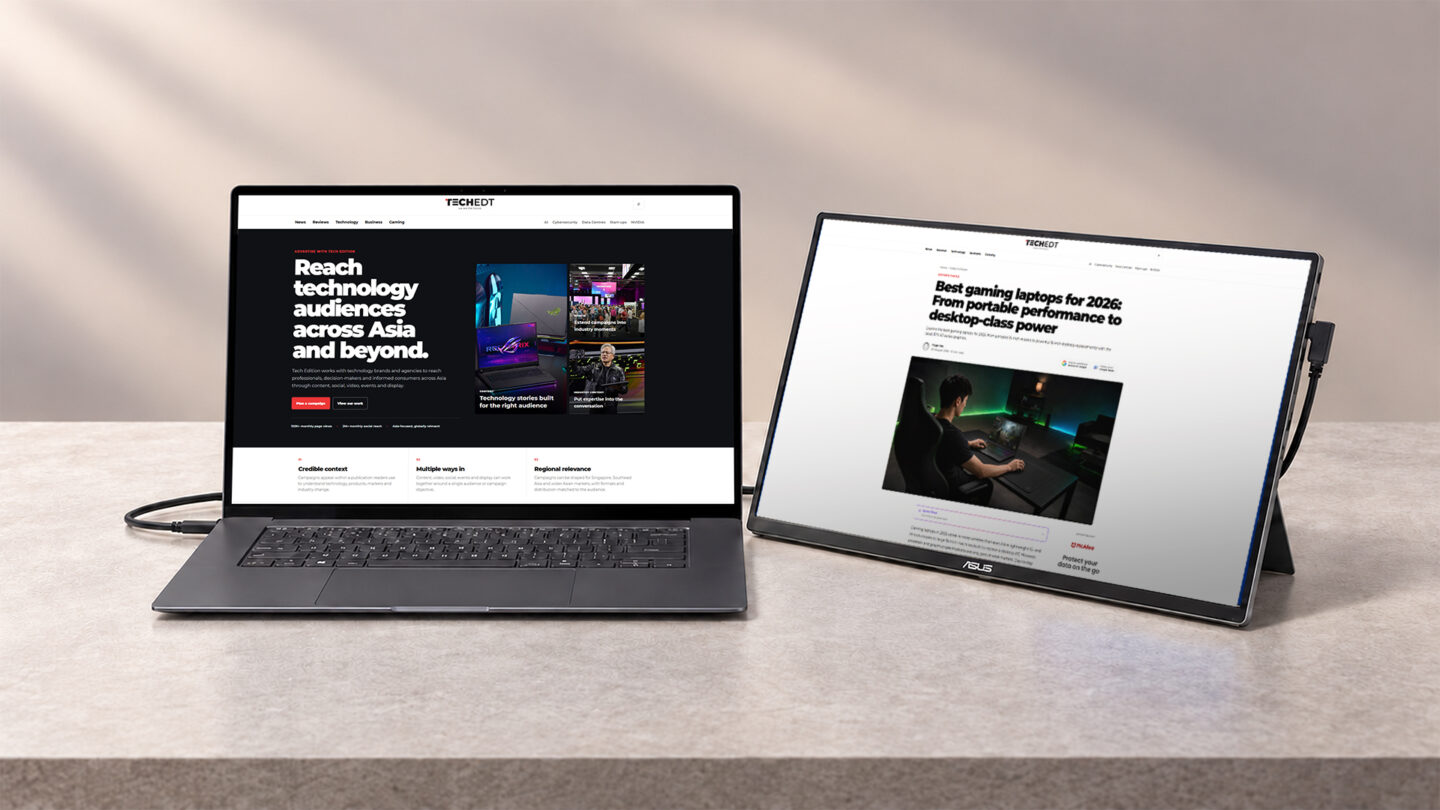
A laptop is often enough for mobile work until several applications need to stay open at once. Writing beside research, following notes during a call, or keeping messages open next to a spreadsheet quickly turns into constant window switching on a single screen.
Our verdict
The ASUS ZenScreen OLED MQ16FC combines a useful 16-inch 16:10 workspace with vibrant OLED image quality, a well-integrated kickstand and flexible USB-C power handling. At 680g, it remains light enough to travel alongside a laptop, while portrait support and Mini HDMI extend its usefulness beyond a conventional second screen. The glossy 300-nit display has less headroom for bright environments, and WUXGA at 60 Hz feels modest beside higher-resolution and higher-refresh portable alternatives.
Pros
- 16-inch 16:10 OLED panel provides useful workspace with deep blacks and strong colour reproduction
- 680g chassis and integrated kickstand keep the complete setup relatively easy to carry
- Portrait support, automatic rotation and a 1/4-inch tripod socket add flexibility
Cons
- 300-nit brightness and glossy surface provide limited headroom in bright environments
- 1920 × 1200 resolution and 60 Hz refresh rate are modest against higher-spec portable monitors
Portable monitors give users more screen space away from a multi-monitor desk, but they come with trade-offs. The screen needs to be large enough to be useful, quick to set up, and light enough to carry alongside a laptop without hassle.
The ASUS ZenScreen OLED MQ16FC tries to combine useful screen space with a design that remains easy to carry. It doesn’t offer the highest resolution or refresh rate, but it pairs an OLED panel with a slim design and several connection options.
Slim design with the connections close at hand
Weighing 680g and measuring 35.9 × 23.3 × 0.9 cm, the MQ16FC slips easily into a laptop bag while offering a full 16-inch screen. Slim bezels and a plain black finish keep visual distraction to a minimum. Its size works well beside larger productivity laptops, while still looking balanced next to a 14-inch model.
A built-in kickstand folds out from the back, eliminating the need for a separate folding case or stand. It supports the display at various angles in landscape and can also hold the screen upright in portrait. For a more permanent desk setup, a standard 1/4-inch tripod socket provides an alternative way to raise the monitor.
All the connections and controls sit along the right edge. ASUS groups two USB-C ports with DisplayPort Alt Mode, a Mini HDMI port, and a 3.5 mm headphone jack alongside the power button and menu controls. Keeping all the ports on one side makes them easy to reach during setup, even if running multiple cables can look a little untidy. That said, USB-C offers the most convenient connections. With a compatible laptop, one USB-C cable can handle both video and power, while a sufficiently powerful charger connected to the second USB-C port delivers up to 65 W of pass-through power to the computer; ASUS specifies a 90 W adaptor to reach the maximum output. Mini HDMI provides another option for laptops, consoles and other devices that cannot send video over USB-C. With no built-in speakers, sound continues through the connected device or can be sent out through the headphone jack.
OLED delivers the strongest part of the experience
The 16-inch OLED panel has a 1920 × 1200 resolution in a 16:10 aspect ratio, a 60 Hz refresh rate, and a quoted 1 ms grey-to-grey response time. ASUS specifies 95% DCI-P3 coverage, colour accuracy of ΔE < 2 and a typical contrast ratio of 100,000:1.
The OLED makes its biggest difference with darker content. Blacks remain deep rather than taking on the grey cast associated with an illuminated LCD backlight, while photographs, video and interfaces with dark backgrounds gain stronger separation between highlights and shadows. Colour also appears rich without making the monitor feel confined to entertainment use.
During testing, the 16:10 format proved particularly useful for work involving longer pages. Keeping research, a PDF or a browser window on the ZenScreen while writing on the laptop gave more vertical room than a typical 16:9 secondary display. Spreadsheets and content management systems also benefit from having additional rows visible before scrolling, while the 16-inch screen is large enough to keep a full application open rather than using it only for a small secondary window.
ASUS also includes an M Model–P3 colour preset for Mac systems, with the ASUS Monitor ICC Profile required before the mode is activated. This can help colours look more consistent between the ZenScreen and a MacBook display during general visual work. Resolution is one of the MQ16FC’s main limitations. Text is comfortable to read, but users accustomed to high-density 2.5K, 3K or 4K laptop panels may notice softer fine detail when moving the same window between screens.
Brightness is rated at 300 nits, which is sufficient for most indoor workspaces. During testing in controlled indoor lighting, the display remained easy to view, and the glossy surface helped retain the strong contrast that gives OLED much of its appeal. Outdoors or beside a bright window, reflections become more noticeable across darker content, and the available brightness provides less headroom to overcome them. The adjustable kickstand can improve the viewing angle, but because of this, the MQ16FC is better suited to offices, hotel rooms and meeting spaces than sustained use under direct sunlight.
Flexible orientation suits different mobile workflows
The MQ16FC works well as a conventional landscape second screen, where its 16-inch panel can hold research, communication tools or reference material beside the main laptop display. The integrated stand makes the monitor quick to set up, which is important for a product expected to be packed away and set up repeatedly.
Turning the monitor vertically makes it better suited to different types of work. Long articles, PDFs, websites, messaging apps, and code make better use of the taller layout, keeping more content visible at once. ASUS DisplayWidget Center can automatically change the desktop orientation when the monitor is rotated, reducing the need to adjust operating-system settings manually. The same design also works well on a permanent desk. The tripod socket and USB-C connectivity also make it practical to use the MQ16FC as a permanent second monitor between trips, while its compact size makes it easy to move when needed.
The verdict: ASUS ZenScreen OLED MQ16FC
The ASUS ZenScreen OLED MQ16FC works best as a second display for people who regularly work away from a multi-monitor desk. The 16-inch 16:10 screen provides enough room to keep full applications open, while the integrated kickstand and single-cable USB-C connection keep setup relatively straightforward.
OLED gives it a clear advantage in contrast and colour, particularly for photographs, video, presentations and visual reference work. The trade-offs sit elsewhere. WUXGA resolution is sharp enough for everyday productivity, although text and fine details appear less crisp than on higher-density 2.5K or 3K portable displays. In addition, the 60Hz refresh rate limits smoother motion, and the glossy 300-nit panel requires more careful positioning in bright environments.
The MQ16FC carries a higher price tag than standard IPS portable displays. That extra cost makes sense for professionals and creators who use a second monitor regularly, particularly those who value OLED image quality and a straightforward USB-C setup. Anyone who simply needs more room for documents, however, can get the same extra screen space for far less money.