

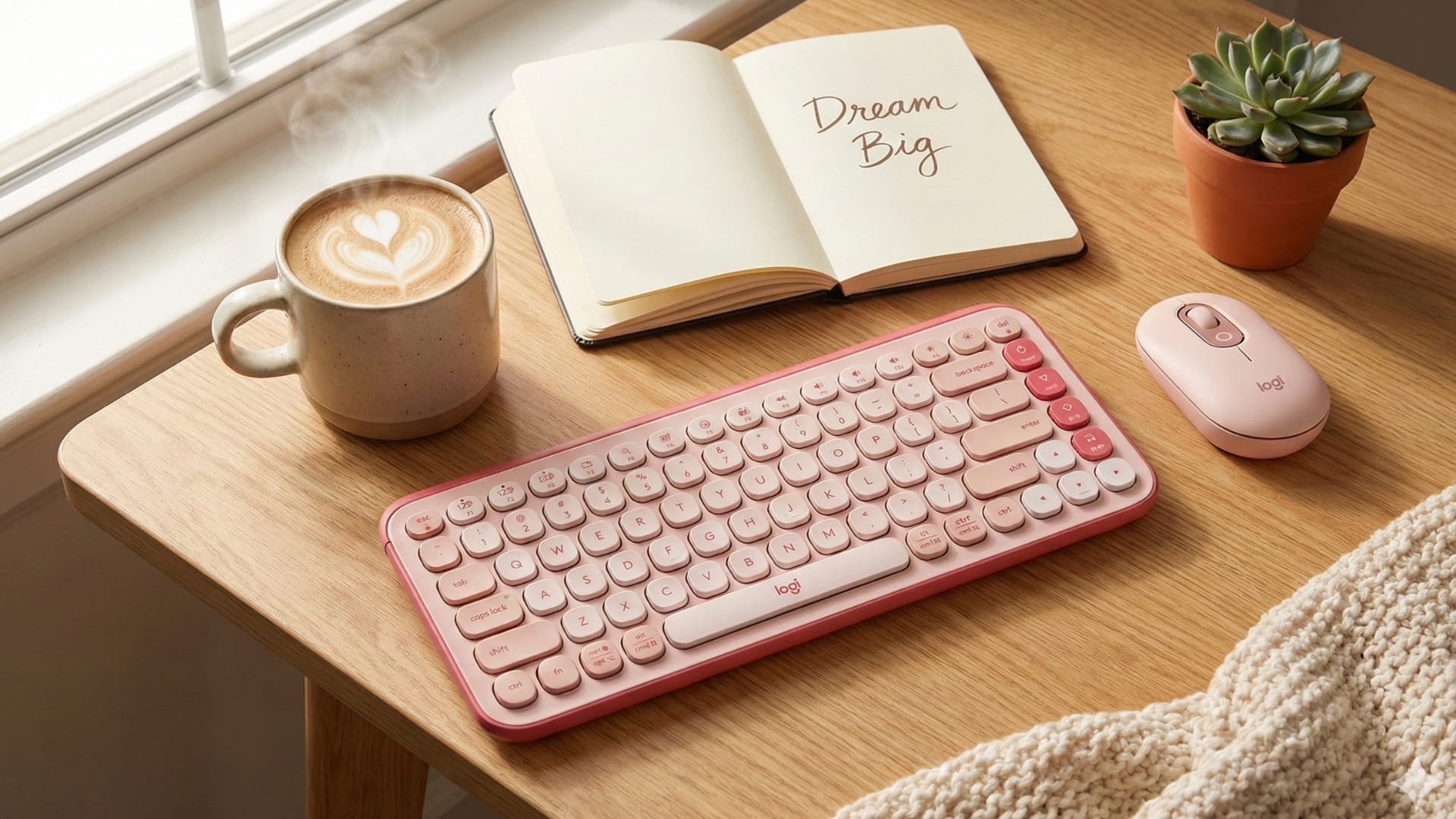
The POP Icon Combo represents a clear shift in how everyday peripherals are positioned. Rather than framing the keyboard and mouse as invisible productivity tools, Logitech presents them as visible, expressive objects that reflect how people now use their desks. This is a combo designed for hybrid routines, where work, communication, and casual use blend throughout the day, often across multiple devices and locations.
Our verdict
A thoughtfully designed peripheral combo that fits hybrid workflows and multi-device use well, but is held back by inconsistent build quality that undermines its premium positioning.
Pros
- Distinct, cohesive design suited for modern desk setups
- Compact and portable for flexible, multi-location use
- Practical software customisation through Logi Options+
Cons
- Build quality does not match pricing expectations
- Less suitable for long typing sessions or performance-focused use
- Mouse ergonomics may not support extended usage
At a glance, the POP Icon Combo makes its intent obvious. Rounded keys, playful colour contrasts, and a compact footprint immediately separate it from conventional office peripherals. It is not trying to win over mechanical keyboard enthusiasts or users who prioritise raw performance metrics. Instead, it targets users who want something approachable, visually distinct, and easy to live with both at work and in downtime.
That positioning is increasingly relevant. As remote and hybrid work settle into long-term norms, desks are no longer purely functional spaces. They double as personal environments, shared household setups, or temporary workstations that need to be cleared and reassembled quickly. The POP Icon Combo leans into this reality with a design that emphasises portability, flexibility, and shortcut-driven convenience.
Pricing reinforces that this is not an entry-level bundle. At S$139.00 in Singapore and US$69.99 in the US, the POP Icon Combo sits above basic keyboard-and-mouse sets. The question, then, is whether its design-led approach, software customisation, and compact form factor deliver enough everyday value to justify the premium, especially when build quality expectations rise alongside price.
Rethinking keyboards and mice as personal desk objects
Design is the POP Icon Combo’s most immediate differentiator. The keyboard uses a compact layout that trims excess spacing without resorting to extreme minimalism. Measuring just over 324 mm wide, it fits comfortably into smaller desks and bags while retaining dedicated navigation and modifier keys. The rounded keycaps and soft matte finish give it a friendly appearance that feels deliberate rather than decorative.
The mouse closely mirrors this design language. It is small, lightweight, and smoothly contoured, with a shape that prioritises comfort over aggressive ergonomics. Visually, the keyboard and mouse feel like a matched pair rather than two separate products bundled together, which reinforces the sense of a considered setup rather than a cost-saving combo.
Colour plays a central role in how the POP Icon Combo is positioned. Globally, it is available in Rose and Off White, Off White and Orange, Graphite and Green, and Lilac and Off White. These combinations strike a balance between playful and restrained, allowing users to choose something expressive without it feeling out of place in a professional setting. In the US market, an additional Graphite and White colourway is offered, catering to users who prefer a more neutral aesthetic while retaining the same design language.
Build quality, however, is where the experience becomes more uneven. On the surface, the plastics feel solid enough for everyday use, with no obvious flex during typing or general handling. The keyboard has enough weight to stay planted on a desk, while the mouse feels light without feeling hollow. That said, closer inspection raises some concerns.
The review unit tested showed an issue with one of its keys from the outset. While Logitech indicated that the keycaps are removable, inconsistencies observed across other keys made it clear that this particular key is damaged. While this may not be representative of all units, it raises questions about durability and quality at this price point. For a product positioned as a premium lifestyle accessory, consistency in build quality matters as much as visual appeal.
Designed to move with changing work setups
Portability is where the POP Icon Combo most convincingly delivers on its design intent. The keyboard’s slim profile and compact width make it easy to move between rooms, desks, or bags without having to plan around weight or bulk. It does not demand a permanent place on a desk, which suits users who frequently reconfigure their workspace or work across multiple locations.
The mouse complements this mobility well. At just over 80 g with batteries, it disappears into a laptop sleeve or backpack pocket. Its size makes it particularly suitable for users who work from cafés, shared offices, or hot-desking environments, where space and setup time are limited. While users with larger hands may find it less supportive for extended sessions, the trade-off favours portability over all-day ergonomic support.
Connectivity further reinforces this flexibility. The keyboard supports Bluetooth pairing with up to three devices using Easy-Switch keys, allowing users to move seamlessly between a laptop, desktop, or tablet. Switching is quick and reliable, with no noticeable lag once paired. In practice, this feature becomes central to the experience, particularly for users juggling work and personal devices throughout the day.
Battery life supports the low-maintenance ethos. The keyboard runs on two AAA batteries and is rated for up to 36 months of use, while the mouse follows a similar approach. In daily use, power management fades into the background, which is exactly what portable peripherals should achieve. There are no charging cables to manage or batteries to swap frequently, reducing friction for users who value simplicity.
Software does the heavy lifting behind the scenes
The POP Icon Combo’s strongest functional argument lies in its software integration. Through Logitech’s Logi Options+ app on Windows and macOS, both the keyboard and mouse can be customised in ways that meaningfully affect daily workflows. This is where the product moves beyond surface-level styling.
The keyboard includes four dedicated Action Keys that can be mapped to system controls, application launches, or custom shortcuts. These keys are not limited to novelty functions. They can be configured for tasks such as screen capture, window management, media control, or opening frequently used tools. Over time, these shortcuts reduce repetitive actions and help offset the absence of more advanced hardware features.
The mouse includes an additional programmable button, often framed as an emoji shortcut by default. While that presentation may seem frivolous, the button can be reassigned to practical functions such as microphone mute toggles, screen capture, or workflow-specific actions. This flexibility allows the mouse to adapt to a range of contexts, from video calls to creative work.
One of the more effective features of Logi Options+ is application-specific customisation. Buttons and keys can behave differently depending on which app is active. For example, a button can mute a microphone in a video conferencing app, trigger screenshots in a design tool, and perform an entirely different function in a browser. This contextual adaptability makes the POP Icon Combo feel more intelligent than its hardware alone would suggest.
The software interface itself is approachable and visually aligned with the hardware’s playful aesthetic. It avoids dense menus and technical language, making it accessible to users who may not typically engage with peripheral software. While power users may find the depth of customisation limited compared to enthusiast-focused tools, the balance here suits the intended audience well.
The verdict: POP Icon Combo
The POP Icon Combo is best understood as a lifestyle-focused productivity tool rather than a traditional performance peripheral. Its strengths lie in portability, visual identity, and software-driven convenience, all of which align with how many people now work across devices and locations.
The compact design and multi-device connectivity make it particularly appealing for hybrid users, while the colour options add personality without tipping into novelty. Software customisation through Logi Options+ delivers tangible everyday benefits, especially for users who value shortcuts and contextual controls over raw typing or pointing performance.
That said, concerns around build quality temper the overall experience. An out-of-the-box damaged key raises questions about quality control, especially given the pricing. At S$139.00 locally and US$69.99 in the US, expectations around consistency and durability are understandably higher.
For users who prioritise flexibility, portability, and a desk setup that reflects their personal style, the POP Icon Combo offers a compelling, thoughtfully designed option. It is less suited to those seeking long-term ruggedness or enthusiast-grade performance. Within its intended scope, however, it delivers a cohesive and modern take on what everyday peripherals can be.