

vivo has introduced OriginOS 7, equipping the platform with refined multitasking capabilities, broader compatibility with Apple accessories and an expanded Jovi AI assistant that operates seamlessly across mobile devices and personal computers. Alongside these functional additions, the update overhauls how the underlying operating system regulates processor loads, system memory and visual animations. Origin Workbench anchors this productivity push by sustaining up to five active applications in a single workspace, while vivo Office Kit links supported smartphones directly with iPad, Mac and Windows systems.
Early access has already commenced through the OriginOS 7 Preview Programme, which opened on 21 September for the vivo X300 Pro and selected iQOO devices in India, Thailand and Malaysia. Broader availability will follow for X500 handsets, newer X Fold models and V-series hardware, with feature sets differing by territory and device.
Origin Workbench keeps five applications active
At the core of the platform lies an updated Origin Smooth Engine, which re-engineers graphics processing, memory management and dynamic resource distribution among competing tasks. Within this architecture, Ultra-Core Computing channels computing power towards demanding activities such as gaming sessions, intensive multitasking and prolonged video playback. Laboratory evaluations conducted by vivo indicate that these adjustments lower cold app opening times by 10% and enhance page-switching responsiveness by 11%. Complementing this, Memory Fusion revises the allocation and release of system memory, with vivo reporting a 60% uplift in memory reclamation alongside the ability to reclaim up to 25GB of storage capacity on a 256GB handset. Graphics pipelines receive a parallel boost through Dual Rendering, a visual system that the manufacturer claims elevates rendering efficiency by 14.4%, although real-world performance inevitably varies according to operational conditions and daily usage habits.
These low-level architecture improvements provide the operational foundation for Origin Workbench, an environment designed to run up to five active applications concurrently on a single screen. This setup allows users to export high-resolution video files in the background while simultaneously taking notes, researching information online and chatting through messaging applications. Taking advantage of the feature requires a compatible handset equipped with a minimum of 12GB of RAM, and additional capabilities such as dragging content across applications remain subject to software compatibility, specific device hardware and regional variants.
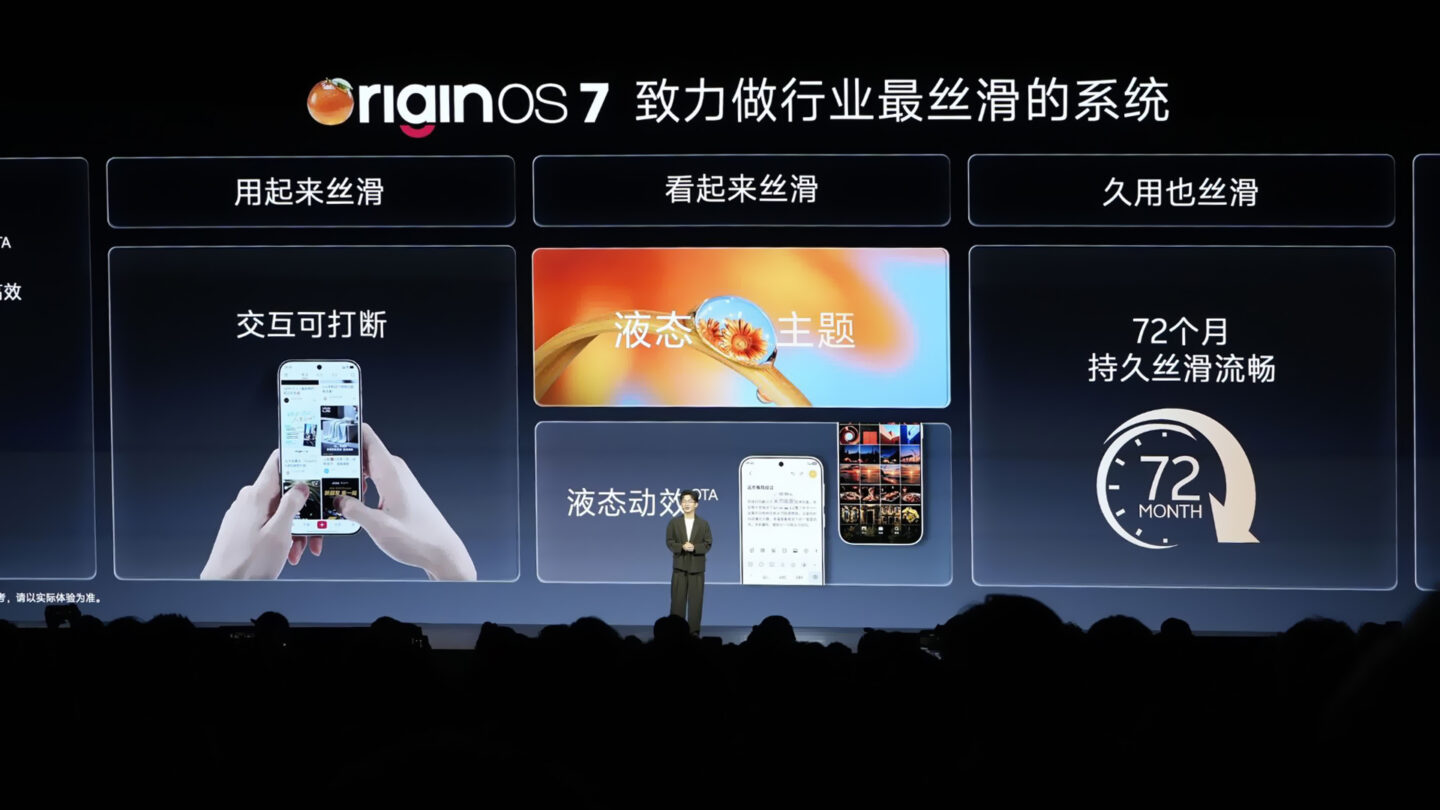
Long-term stability has also been evaluated through simulated 72-month testing, with vivo attributing its six-year smoothness claim to improved memory allocation, reduced system fragmentation and proactive ageing management. This projection remains limited to selected models under laboratory conditions rather than six full years of routine consumer handling, meaning real-world durability will naturally depend on individual operational habits.
Interface animations respond more closely to touch
Navigation throughout the interface has been overhauled to ensure visual elements react more intuitively whenever users tap, swipe or scroll. Fluid Motion brings liquid-like visual effects that let on-screen assets stretch, bounce and merge dynamically based on the velocity and trajectory of every gesture. Working alongside this, Spring Animation introduces a unified physics model that governs system menus, individual application components and page elements. Seamless Interaction further reinforces this fluidity by sustaining uninterrupted scrolling across multiple directions, combining with the physics engine to deliver more cohesive tactile feedback across the entire software interface.
Not every device or programme will exhibit these dynamic behaviours immediately. Fluid Motion is currently restricted to selected smartphone models, whereas Seamless Interaction remains confined to native vivo applications alongside a limited assortment of third-party software.
OriginOS 7 works with Apple Watch, AirPods and iCloud
OriginOS 7 substantially broadens interoperability with Apple hardware, granting owners of Apple accessories greater utility when paired with supported vivo handsets. Supported Apple Watch units can receive incoming alerts and synchronise workout routines and health statistics directly with the Origin Health application. Concurrently, paired AirPods can display live connection details and battery levels via Origin Island while taking full advantage of vivo Spatial Audio. This smartwatch integration is accessible on the vivo X200 series, subsequent X-series releases, the iQOO 13 family and later numbered iQOO devices across selected markets. Supported models encompass Apple Watch Series 6, the second-generation Apple Watch SE and newer variants operating on watchOS 9.6 or later, though owners must still pair and activate their watch using an iPhone before connecting it to a vivo phone.
Beyond personal accessories, integration extends directly into cloud storage and desktop environments. The native vivo File Manager embeds iCloud access, allowing owners to log in with an Apple Account to browse, upload and download files, while vivo Office Kit bridges connections to iPad, Mac and Windows systems for task handoffs, real-time note synchronisation and multi-screen transfers.
These cross-ecosystem features remain bound by distinct regional and technical limitations. Availability across AirPods integration, iCloud browsing and desktop coordination depends strictly on device models, regional markets, software builds and third-party service policies.
Jovi can carry out tasks between phones and PCs
The built-in assistant Jovi assumes a substantially expanded role in OriginOS 7, operating across linked smartphones and personal computers via vivo Office Kit to execute instructions remotely. A command submitted on a handset can initiate processing on a paired computer, such as prompting Jovi to locate a spreadsheet stored on a desktop at home, summarise specified figures and transmit the data back to the phone. The assistant can also manage scheduled tasks to compile reports or organise directories at designated times, although these automated features remain confined to selected hardware in supported regions, and all AI-generated content is provided strictly for reference.
Document digitisation is managed within the same productivity framework by Snap Note, which converts photographs of whiteboards, handwritten notations and presentation slides into formatted, editable text documents, subject to device, regional and linguistic availability. To safeguard these background and automated workflows, Jovi Security establishes clear administrative controls over computer-based actions. The system keeps an active log of automated procedures and requires direct user authorisation before critical steps are permitted to run.
Lock and home screens gain interactive themes
Customisation options have been expanded with several interactive styling choices across the lock screen and home screen. Wiggle Theme applies fluid, liquid-like physics to personal pictures, causing images to ripple and bounce back in response to physical touch. In contrast, Glint Theme harnesses the handset’s internal gyroscope to dynamically shift surface lighting and shadow projections as the hardware moves in hand. Users can also turn to StickIt to assemble photos and Live Photos into multi-layered collages across the lock screen, main desktop and Always-On Display, while Pet Pals introduces interactive animated companions that react to physical device movement, active battery charging, audio playback and the natural cycle between day and night.
These personalisation features come with various hardware and regional boundaries. Wiggle Theme and Glint Theme are restricted to specific handset models, while StickIt remains limited to selected devices, with certain dynamic stickers and AI elements varying by territory. In the same manner, the animations and reactive capabilities of Pet Pals depend entirely on the host phone.
Rollout begins with the X300 Pro
The phased deployment of OriginOS 7 has commenced through an early preview initiative. The OriginOS 7 Preview Programme opened on 21 September, prioritising the vivo X300 Pro alongside selected iQOO models across India, Thailand and Malaysia.
Looking ahead, vivo plans to deliver the upgraded software to the X500 series, newer X Fold releases and V-series smartphones in subsequent release waves. The manufacturer has avoided issuing a single, comprehensive timetable across all regions, confirming instead that specific feature availability will vary depending on local markets and device tiers.