


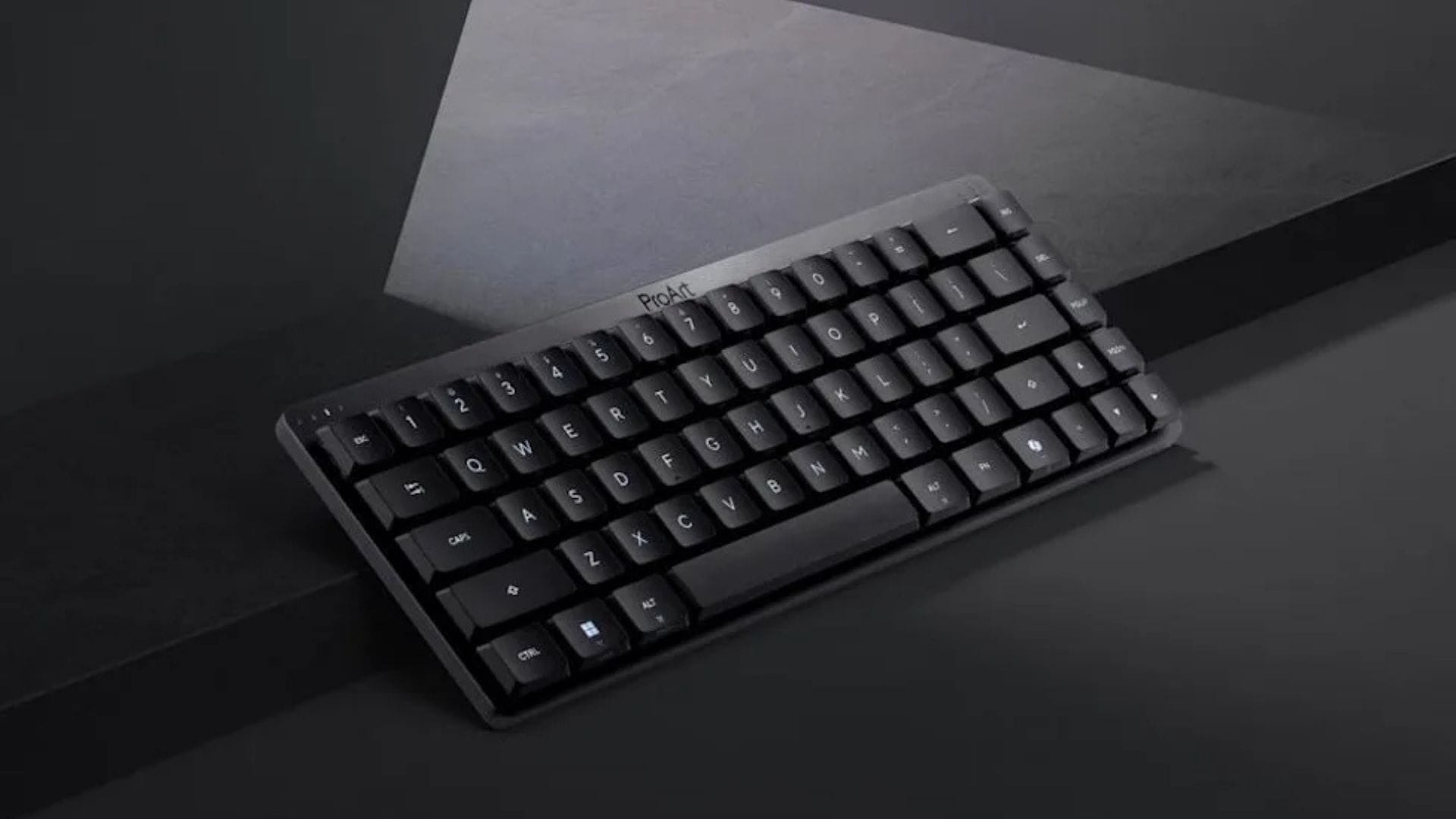
ASUS has expanded its ProArt accessories range with a new compact keyboard and wireless mouse designed for creative professionals. The ProArt Keyboard KD300 and ProArt Mouse MD301 aim to provide a matching desktop setup focused on productivity, comfort and efficient creative workflows.
While creators already have access to a wide range of high-performance laptops, monitors and other specialist hardware, keyboards and mice are often designed for general office work or gaming. ASUS is seeking to address this gap by developing accessories specifically for photo editors, video creators, designers and other professionals who spend long periods working at a desk.
The new devices place greater emphasis on practical controls, multi-device support and customisable features rather than gaming-focused specifications. ASUS has also designed the keyboard and mouse to work together as part of a compact ProArt workspace.
Compact design retains essential productivity features
The ProArt Keyboard KD300 uses a 65% layout, making it considerably smaller than a traditional full-size keyboard. Despite its reduced size, the device retains important navigation keys that creators commonly use when editing content, managing files or moving through creative applications.
Its compact design could make it suitable for smaller desks and workspaces where users want more room for a mouse, drawing tablet or other creative equipment. The smaller layout may also appeal to professionals who prefer a cleaner desktop without losing access to frequently used controls.
ASUS has equipped the KD300 with ASUS RX Red low-profile optical switches. These switches are designed to provide fast and responsive input with a smooth, linear keystroke. Their low-profile construction also gives the keyboard a slimmer appearance while providing a quieter, more comfortable typing experience during extended work sessions.
The keyboard supports tri-mode wireless connectivity, allowing it to work with different computers, tablets and compatible devices. Users can pair the KD300 with up to five devices simultaneously, making it easier to switch between systems without repeatedly disconnecting and reconnecting the keyboard.
ASUS has also included customisable keys, creator-focused shortcuts and an integrated touch panel. These features are intended to reduce the number of steps required to perform common tasks and provide quicker access to frequently used tools.
Configuration is handled through Gear Link, ASUS’ new web-based interface. The platform allows users to manage profiles, change key assignments and create macros for different applications. As the interface operates through the web, users can adjust supported settings without relying entirely on a traditional desktop configuration programme.
ProArt Mouse MD301 targets creative workflows
The ProArt Mouse MD301 has been developed as a companion to the KD300 keyboard. ASUS has given the wireless mouse an ergonomic design intended to support long periods of use by photographers, video editors, designers and other creative professionals.
The mouse features an 8,000 DPI optical sensor designed to provide accurate tracking across different surfaces, including glass. This capability may be useful for creators who work in shared offices, studios or temporary locations where a traditional mouse mat is not always available.
ASUS has included two scroll wheels to improve navigation in applications with large work areas. In addition to the standard top wheel, the MD301 features a side wheel that can be used to move horizontally through video timelines, large images, documents and spreadsheets.
The mouse also includes six programmable buttons. Users can assign frequently used commands, shortcuts or application functions to these controls, potentially reducing reliance on keyboard combinations during repetitive editing tasks.
Like the KD300 keyboard, the MD301 supports tri-mode connectivity. This gives users more flexibility when connecting the mouse to different devices and may benefit professionals who regularly move between a desktop computer, a laptop, and a tablet.
Another productivity feature is the SmartShift scroll wheel. The system automatically changes between precise, line-by-line scrolling and a faster free-spin mode. The selected mode depends on how quickly the user moves the wheel, allowing detailed navigation and rapid movement through longer documents or creative timelines without requiring a manual adjustment.
Replaceable switches and extended battery life support long-term use
One of the MD301’s more unusual features is its hot-swappable main buttons. Users can replace worn left- and right-click switches using standard Push-Fit sockets, which could help extend the mouse’s useful life.
The replaceable design also allows users to customise the feel of the main buttons by installing compatible switches. This gives creators greater control over the click response while reducing the need to replace the entire mouse if its primary switches wear out or develop issues.
Battery performance is another major focus. ASUS claims that the ProArt Mouse MD301 can provide up to 180 days of use from a full charge. Actual battery life is likely to vary depending on connection settings, usage patterns, and enabled features, but the stated figure could reduce the need for frequent charging in everyday use.
The mouse also supports rapid charging through USB-C. According to ASUS, a one-minute charge can provide about eight hours of light use. This feature may help professionals continue working when the battery is low without requiring a lengthy charging period.
Rather than competing directly with gaming accessories through extensive RGB lighting or extremely high polling rates, ASUS has positioned the KD300 and MD301 around creative productivity. Their features focus on comfort, compact workspaces, custom controls and efficient navigation across professional applications.
Together, the ProArt Keyboard KD300 and ProArt Mouse MD301 broaden the company’s creator-focused hardware range beyond computers and displays. The accessories are designed to offer a more consistent ProArt desktop experience for users who prioritise practical workflow improvements over gaming-focused features.