

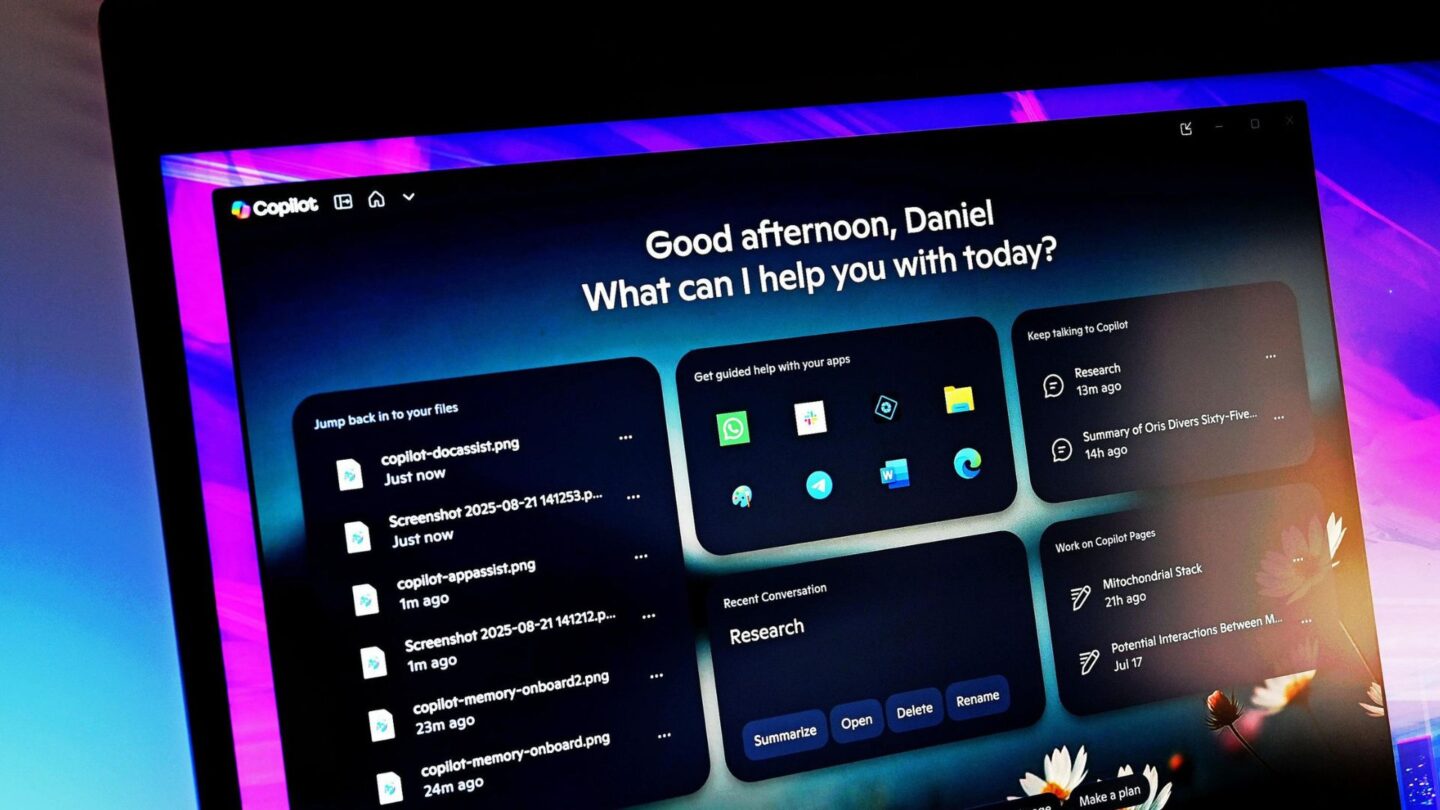
Microsoft has introduced a redesigned Copilot app that brings several of its artificial intelligence tools together in a single experience. The updated app combines conversational AI, software development, and autonomous task management under three main areas: Home, Code, and Autopilot.
The launch follows months of changes to Microsoft’s Copilot strategy, including consolidating separate Copilot applications and developing more advanced AI features. The company has increasingly positioned Copilot as a broader platform rather than simply an AI chatbot, with tools intended to handle more complex tasks on behalf of users.
Home brings Copilot and Office together
The Home section serves as the main entry point for the new Copilot experience. It combines the standard Copilot chat interface with Copilot Cowork, allowing users to interact with Microsoft’s AI through conversation while also delegating more involved tasks to the service.
Microsoft is also bringing its Office applications more directly into Copilot. Word, Excel and PowerPoint are integrated into the experience, giving users access to familiar productivity tools without having to move between separate applications. The approach is intended to make Copilot a central place for both everyday questions and work-related activities.
Microsoft described the new structure as a way of bringing several of its AI capabilities together. The company said: “Home is your new starting point, where Chat and Cowork come together — and with Office in Copilot, the full power of Word, Excel and PowerPoint is now built into the experience.”
Adding Office is significant because it connects Copilot’s conversational capabilities with Microsoft’s established productivity software. Rather than limiting the AI to generating responses, the new experience is intended to help users work with documents, spreadsheets and presentations within the same broader environment.
The Code section takes a different approach, focusing on software development and creating custom solutions. Microsoft says the feature uses the same underlying technology as GitHub Copilot, allowing users to build and manage software with AI assistance.
According to Microsoft, Code is intended to make development tools available to a wider audience while providing ways to run solutions safely. The feature forms part of the company’s wider effort to make AI-assisted coding available beyond traditional development environments.
Autopilot is designed to keep working
The third part of the new Copilot experience is Autopilot, which Microsoft describes as a persistent and proactive personal AI agent. The feature is intended to handle tasks on a user’s behalf and continue working without requiring a new instruction for every step.
Autopilot was previously associated with Microsoft’s Scout project. Its design reflects a wider move towards what is often described as agentic AI, where systems can carry out multi-step activities rather than simply responding to individual questions.
Microsoft said: “And Autopilot is a persistent, proactive and personal agent that keeps working even when you’re not.”
The concept represents a shift from conventional chatbot interactions. Instead of waiting for a user to provide another prompt, an AI agent can potentially continue a task after receiving its initial instructions. The exact capabilities will depend on the service version and the user’s access.
Scout is already available in an experimental form through Microsoft’s Frontier programme, as well as to a limited number of customers through a private preview. However, access is not currently available to everyone. Microsoft requires participating organisations to meet several requirements before they can use the feature.
The rollout also reflects Microsoft’s cautious approach to expanding autonomous AI capabilities. Features that can act on behalf of users require additional safeguards because they can potentially perform actions without constant human input. Microsoft’s current access requirements therefore limit availability while the company continues testing and development.
New features are rolling out in stages
Although Microsoft has launched the redesigned Copilot app, users will not immediately have access to every feature. The company is releasing the different components gradually, meaning availability will depend on the particular service, subscription and programme involved.
Code is scheduled to begin rolling out to Frontier users at the end of September, with wider availability expected in the following weeks. Microsoft has also said the feature is expected to enter preview for Microsoft 365 Premium and Pro subscribers later this year.
Access to the Autopilot-related Scout technology is currently more restricted. The experimental release is available through Frontier, while selected customers can access it through a private preview. Organisations seeking access must enrol in Frontier, configure an Intune policy and complete an opt-in attestation. A GitHub Copilot licence is also required.
The staged rollout means Microsoft’s new Copilot app is not yet a single, fully available package for everyone. Instead, it serves as an umbrella for several AI experiences that are being introduced at different times and to different groups of users.
The redesign nevertheless marks a broader change in how Microsoft is positioning Copilot. The company is moving beyond a standalone conversational assistant towards a platform that combines productivity software, coding tools and autonomous AI agents. As more of these capabilities become available, Copilot is expected to integrate more deeply with the wider Microsoft software ecosystem.
For now, the revamped app provides a central home for Microsoft’s expanding AI services, while features such as Code and Autopilot remain subject to phased releases and access requirements. The full vision will therefore depend on how quickly Microsoft expands availability and how the different tools develop as they move beyond experimental and preview stages.