


Portable connectivity has become a practical necessity rather than a niche accessory. Remote work, hybrid travel, and multi-device workflows have pushed more users to look beyond fixed broadband or smartphone tethering. Dedicated mobile hotspots provide a portable gateway that allows users to set up a private wireless network wherever cellular coverage is available.
Our verdict
A practical, no-frills mobile hotspot that delivers reliable connectivity and portability, but is held back by dated software and limited advanced features.
Pros
- Simple plug-and-play setup with minimal configuration required
- Stable real-world connectivity across local and roaming networks
- Compact, travel-friendly design with all-day battery endurance
Cons
- Outdated and slow management interface
- Limited advanced networking features and controls
- 4G LTE constraints limit future-proofing versus 5G alternatives
The D-Link DWR-932W 4G Wi-Fi 6 Mobile Hotspot enters this space with a clear positioning. It is designed to provide a personal wireless network using a SIM card, allowing multiple devices to connect to mobile data through a dedicated hotspot rather than relying on a smartphone.
This approach reflects a broader trend in mobile productivity. Dedicated hotspots separate connectivity from primary devices, preserving smartphone battery life and providing a shared connection point for laptops, tablets, and other devices. For travellers or small teams, this can simplify connectivity management while keeping devices online simultaneously.
In this review, the device was used with an eight mobile plan, with real-world usage conducted both locally in Singapore and during travel in Hong Kong. The evaluation focused on everyday usability rather than controlled benchmarks, reflecting how a mobile hotspot is typically used in real situations such as remote work, travel, and multi-device connectivity.
Compact design built for mobility
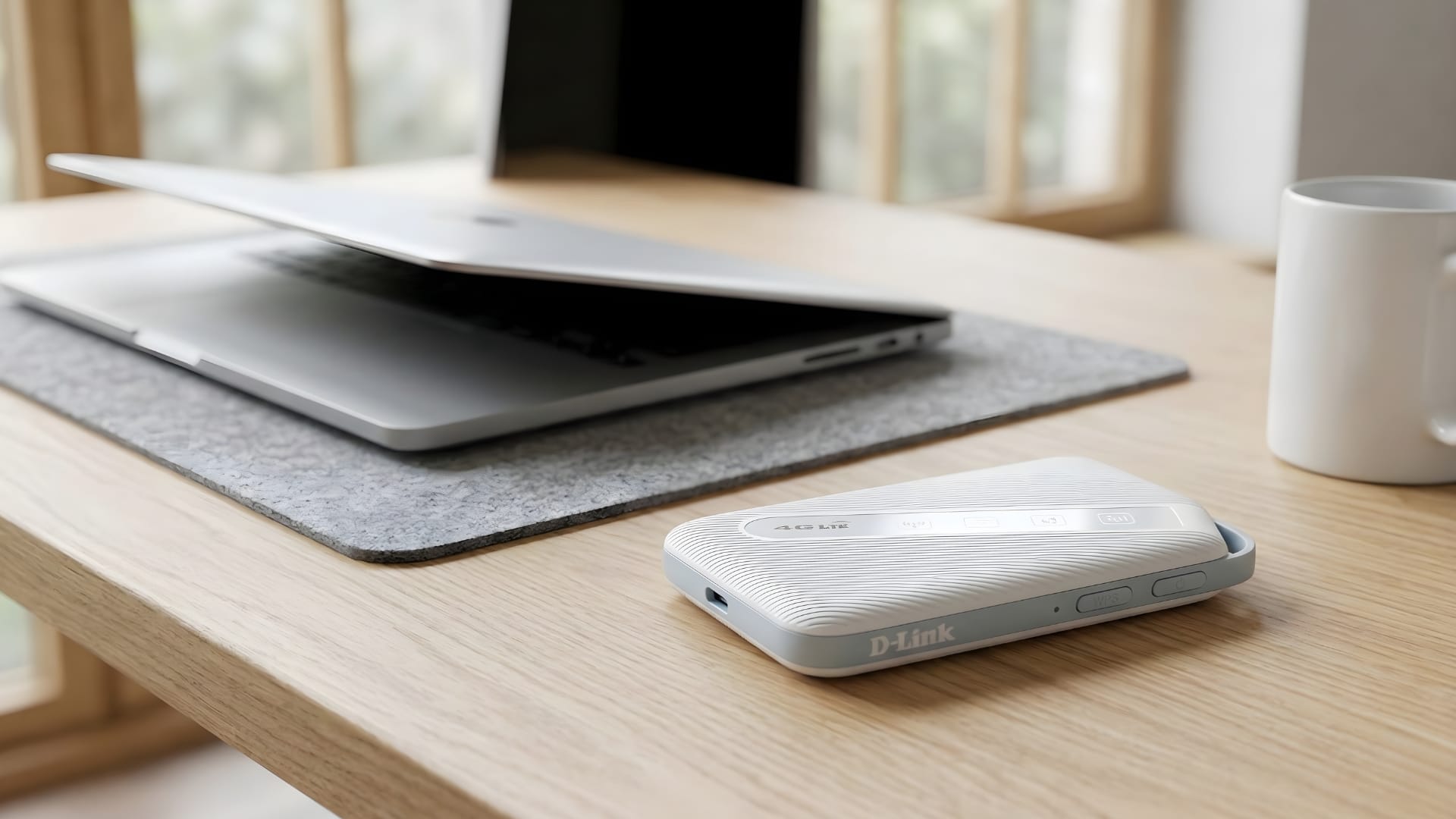
The D-Link DWR-932W features a small, understated physical design. Measuring 103 x 63 x 13.35 mm, the device is compact enough to fit easily into a pocket or laptop bag, reinforcing its role as a travel-ready connectivity tool.
In daily use, this small footprint makes a noticeable difference. The device can remain accessible without requiring dedicated space in a bag or workspace. It can be placed on a café table, carried between meetings, or kept alongside a laptop during travel without adding bulk.
The design avoids unnecessary visual complexity. Instead of a display or multiple physical controls, the device relies on colour-coded LED indicators to communicate connection status. These lights provide quick information about signal conditions and connectivity without requiring a screen.
This minimal hardware approach aligns with the device’s broader design philosophy. The DWR-932W is not intended to function as a feature-rich gadget. Users looking for advanced network management tools or sophisticated hardware features may find the device limited in that regard.
However, the simplified design supports the device’s core purpose. By focusing on portability and essential functionality, the hotspot remains easy to carry and simple to operate during daily routines.
Straightforward setup and everyday usability
One of the most notable aspects of the DWR-932W is its ease of setup. The device uses a nano-SIM slot that allows users to insert a SIM card and begin sharing a mobile connection almost immediately.
The setup process is largely plug-and-play. After inserting the SIM card and powering on the device, the hotspot begins broadcasting its network without requiring additional software installation or complicated configuration steps.
This simplicity makes the device approachable for users who may not be comfortable configuring networking equipment. The hotspot behaves more like a connectivity appliance than a configurable router, reducing friction during initial setup.
The hotspot supports up to 32 devices simultaneously. This capability allows the device to function as a shared internet gateway for groups such as travelling teams, families, or small collaborative workspaces.
Multiple smartphones, laptops, and tablets connect without difficulty. This makes the hotspot useful in scenarios where several devices need internet access, but only one mobile data plan is available.
The device also uses a USB Type-C port for charging, which simplifies cable management when travelling. Sharing the same charging standard as other devices, such as smartphones, reduces the number of cables required in a typical travel kit.
Connectivity performance in real-world use
At the network level, the hotspot relies on 4G LTE Cat 4 connectivity, supporting downlink speeds of up to 150 Mbps and uplink speeds of up to 50 Mbps. These speeds position the device for everyday tasks such as web browsing, messaging, cloud access, and video conferencing.
In real-world testing using an eight mobile plan, connectivity remained stable across different environments. The device was used across several locations in Singapore and during travel in Hong Kong, providing a clear look at how it performs under varying network conditions.
Switching between local and roaming networks did not present noticeable issues. As long as the mobile plan supports roaming, the device automatically switches to the available network without requiring manual reconfiguration.
This behaviour is particularly relevant for frequent travellers. A hotspot that requires constant manual adjustments during international travel can quickly become inconvenient. In this case, the device functioned consistently as the underlying mobile network changed.
The hotspot also incorporates Wi-Fi 6 AX300 wireless technology, capable of delivering speeds up to 286.8 Mbps. This wireless capability improves network efficiency when multiple devices connect to the hotspot simultaneously.
In practice, this efficiency becomes more important than peak speed. Several devices maintained simultaneous connections without noticeable instability. Tasks such as video calls, file synchronisation, and web browsing could run concurrently without major disruptions.
Battery endurance, security and management interface
Portable networking devices depend heavily on battery reliability, especially during travel or extended work sessions away from power sources. The DWR-932W integrates a 3000mAh rechargeable Li-ion battery designed to support extended use.
The manufacturer indicates that the hotspot can run for up to 16 hours on a single charge. This allows the device to remain active for most of a typical workday without requiring frequent recharging.
Separating connectivity from a smartphone also helps preserve the phone’s battery life. When smartphones act as hotspots, they must maintain both cellular and Wi-Fi networking simultaneously, which often drains battery capacity quickly.
From a security perspective, the device supports WPA3 wireless encryption. This protocol helps protect wireless traffic and reduces the risk of unauthorised access compared with older security standards.
On the security front, a built-in firewall adds an extra layer of protection, while WPS support lets users establish connections quickly. For mobile users handling sensitive data or accessing corporate services, these integrated safeguards are a vital consideration.
The management gateway, however, reveals one of the device’s more noticeable limitations. The administrative interface presents a dated design and can feel slow to navigate when adjusting settings. Users expecting a modern, responsive management dashboard may find the experience less polished.
The verdict: D-Link DWR-932W 4G Wi-Fi 6 Mobile Hotspot
The D-Link DWR-932W 4G Wi-Fi 6 Mobile Hotspot is best understood as a practical connectivity utility rather than a feature-heavy networking device. It focuses on portability, simplicity, and reliable mobile connectivity rather than advanced configuration options.
For users who prioritise quick setup and dependable internet access while travelling or working remotely, the device performs its intended role effectively. Its ability to support multiple devices, operate across roaming networks, and maintain connectivity throughout the day makes it a useful companion for mobile work environments.