

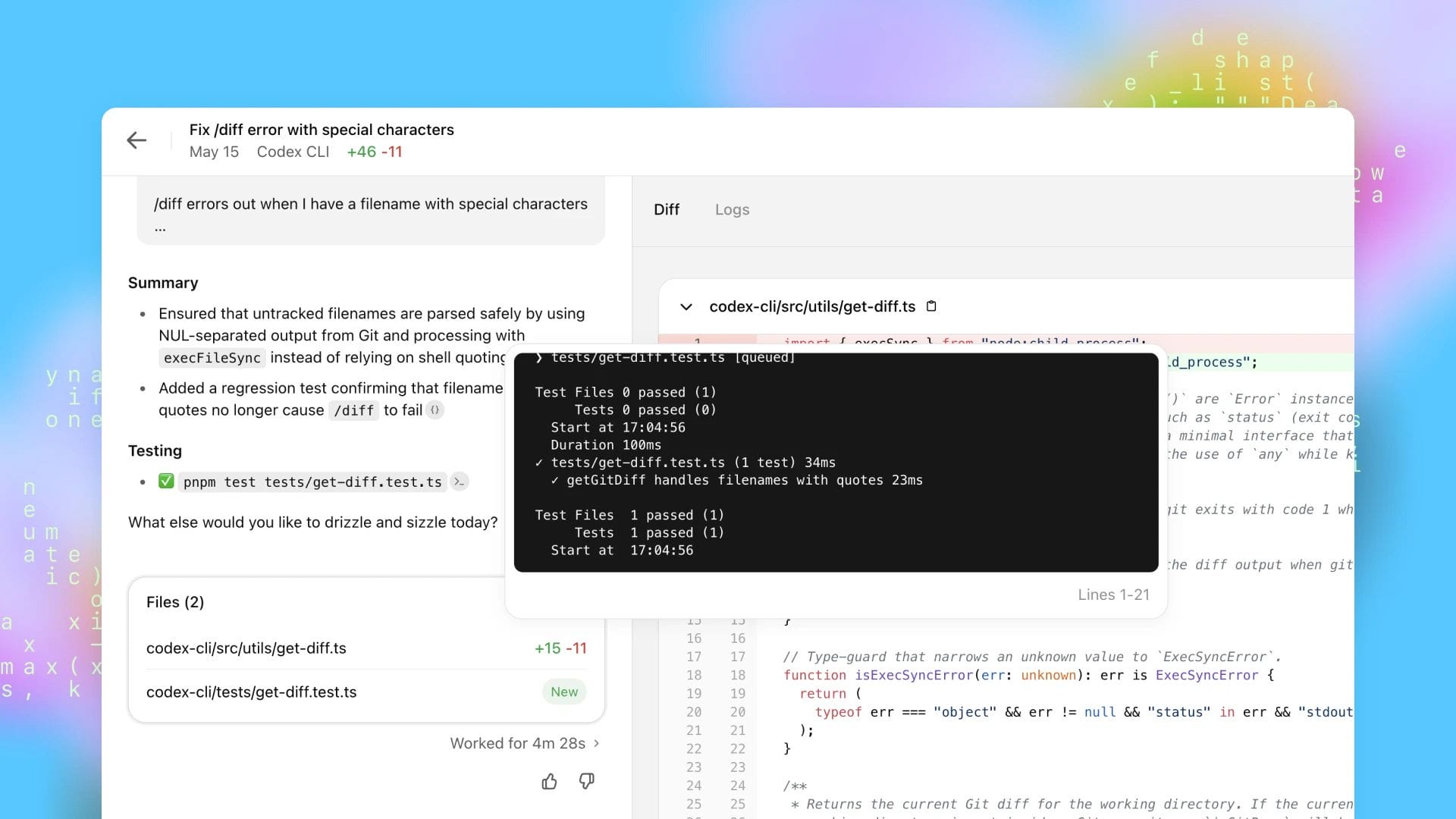
Windows developers can now access OpenAI’s AI-powered coding assistant natively, following the official launch of the Codex application for Microsoft’s desktop operating system. The release marks the first time the tool has been built specifically for Windows rather than adapted from other platforms.
The new application is designed to give developers a central workspace for AI-assisted programming. Unlike earlier workarounds used by some Windows users, the software has been developed as a native Windows experience, designed to integrate more naturally with the operating system’s development tools and workflows.
The Codex app is now on Windows.
— OpenAI Developers (@OpenAIDevs) March 4, 2026
Get the full Codex app experience on Windows with a native agent sandbox and support for Windows developer environments in PowerShell.https://t.co/Vw0pezFctG pic.twitter.com/gclqeLnFjr
OpenAI’s Codex technology is widely known for powering AI code generation and assistance tools. By bringing a dedicated Windows application to market, the company is expanding access to the technology for a large community of developers who primarily work within Microsoft’s ecosystem.
Developers can download the app through the Microsoft Store or directly from OpenAI’s website. Once installed, users can sign in using an existing ChatGPT subscription or an API key to begin generating, debugging and refining code directly on their Windows machines.
Native Windows environment designed for developers
The Windows version of the Codex app has been developed specifically for the platform rather than ported from macOS or other operating systems. According to OpenAI, the goal was to provide a smoother experience that fits naturally within the Windows development environment.
At the core of the application is a central interface that allows developers to manage multiple coding projects from a single workspace. This design aims to simplify switching between projects and tasks while keeping AI assistance readily available throughout the development process.
The app runs natively on Windows and uses PowerShell inside a dedicated Windows sandbox. This approach allows developers to run code in an isolated environment while maintaining compatibility with familiar Windows tools and command-line workflows.
For developers who previously relied on unofficial solutions or web-based tools, the launch represents a more integrated option. Until now, many Windows users had limited access to native AI coding tools, often requiring workarounds or cross-platform solutions to access the same capabilities available on other operating systems.
Core features, including skills, automations and work trees
The Windows release includes the same key features that made Codex popular on other platforms. These capabilities are designed to help developers automate routine coding tasks and extend the functionality of the AI assistant.
One of the main features is the skills system, which allows users to expand Codex’s capabilities by connecting it with other applications and development tools. Through a skill gallery, developers can discover new integrations that enhance how the AI assistant interacts with their workflow.
Another feature, known as Automations, allows Codex to perform tasks in the background without constant user supervision. This enables developers to assign repetitive coding jobs or maintenance tasks to the AI while focusing on more complex aspects of a project.
The platform also supports Work Trees, which allow several independent tasks to run simultaneously within the same project. This capability is designed to help teams or individual developers experiment with multiple solutions at once without interfering with the main codebase.
Together, these features aim to position Codex beyond a simple code generator. Instead, the tool is designed to serve as a development assistant that manages and coordinates multiple tasks throughout the software development process.
Windows-specific tools and flexible setup options
Alongside the core features shared with other versions, the Windows release includes several tools built specifically for the platform’s developer community. These additions are intended to support developers who build applications for Windows directly.
Among these is a dedicated WinUI skill available through the Codex skill gallery. This tool allows developers working on Windows applications to use AI assistance when building interfaces using Microsoft’s modern UI framework.
The app also supports integration with Windows Subsystem for Linux. Developers who prefer working within Linux-based environments can switch both the coding agent and the integrated terminal to run inside WSL, allowing them to combine Linux development tools with the Codex interface.
This flexibility may appeal to developers who work across multiple platforms or who rely on Linux-based workflows while still using Windows as their primary operating system.
With the launch of the native application, OpenAI is making its AI coding technology more accessible to a broader segment of developers. By supporting Windows directly, the company is expanding the reach of its AI-assisted development tools and offering an alternative to browser-based or cross-platform solutions.