

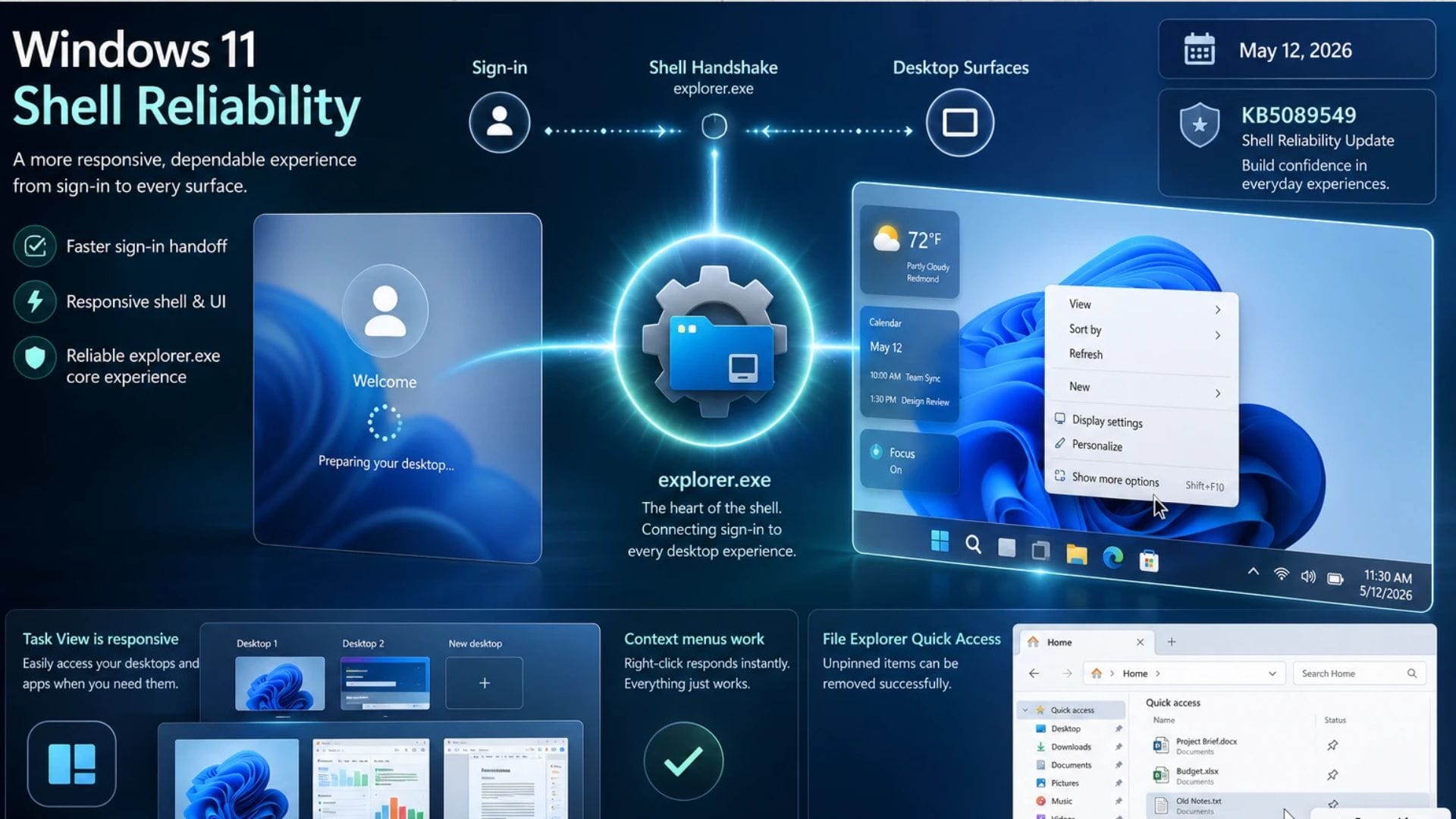
Microsoft has confirmed that some Windows 11 users are experiencing issues where the taskbar freezes or the desktop remains blank for an extended period after logging in. The company says the problem is linked to faults affecting the taskbar, with a new update expected to address the issue in May 2026.
The update in question, known as KB5089549, is designed to improve system responsiveness and reduce delays when users start their computers. However, the rollout has become complicated because the same update is also causing installation failures on some devices.
Reports suggest that users attempting to install the patch may encounter error code 0x800f0922, preventing the update from completing successfully. The patch has also been linked to the unexpected creation of a new folder on some computers, adding to concerns surrounding the release.
Microsoft acknowledges taskbar and desktop problems
The issue appears to affect users immediately after signing into Windows 11. According to reports, the taskbar can become unresponsive, while in some cases, the desktop remains blank for an unusually long period. Similar freezing behaviour may also occur when users right-click on the desktop or taskbar.
Microsoft has acknowledged the problem and is preparing fixes through the KB5089549 update. The company aims to improve how Windows handles applications that launch at startup, which has been identified as a cause of sluggish performance after booting.
Windows Latest reported that the update focuses heavily on improving general responsiveness during the login process. Users who have successfully installed the patch have reportedly noticed smoother performance and shorter startup delays.
A member of the Windows Latest team said the improvements were especially noticeable immediately after signing in. The publication noted that systems appeared more responsive and less likely to freeze during loading.
Update installation failures create further frustration
Despite the intended improvements, KB5089549 has introduced additional problems for some Windows 11 users. Installation failures linked to error code 0x800f0922 are preventing the update from being applied on certain computers.
This has created an unusual situation in which the update designed to fix performance issues is itself causing technical difficulties. Users unable to install the patch may continue to experience taskbar freezes and desktop loading delays until Microsoft releases a revised solution.
The installation issue has led to frustration among affected users, particularly because the patch is considered important for improving overall usability. Some users have also raised concerns after noticing that the update creates an unfamiliar folder on their systems, though no major security concerns have been reported.
Microsoft has not yet provided detailed technical information explaining why the installation failures are occurring. However, similar update errors in Windows have previously been linked to system partition issues, security settings or compatibility conflicts with existing software.
The company regularly releases cumulative updates for Windows 11 to improve stability and security, though updates occasionally introduce unintended side effects. Installation problems and temporary software bugs are not uncommon during major update rollouts.
Performance improvements target a slower startup experience
Microsoft says the primary goal of the update is to improve how Windows 11 handles applications configured to launch automatically after startup. These background processes can sometimes slow down the operating system and contribute to freezing or delayed loading.
The company explained the changes in a statement quoted by Windows Latest: “[General Performance] This update improves performance when launching apps that run after the device is turned on (apps listed under ‘Settings > Apps > Start’)”.
The update is intended to make Windows 11 feel faster and more responsive during the first few moments after booting up. By optimising the handling of startup applications, Microsoft hopes to reduce the delays some users experience when accessing the desktop or interacting with the taskbar.
Performance issues after login have been a recurring complaint among some Windows 11 users since the operating system was launched. While newer hardware generally handles software well, systems with many startup applications or limited resources can experience noticeable slowdowns.
The KB5089549 patch forms part of Microsoft’s ongoing effort to improve the overall stability and responsiveness of Windows 11. However, until the installation issues are resolved, some users may face a difficult choice between installing the update or waiting for a revised release from Microsoft.